How to conduct a UX audit your product team can act on
A practical UX audit method for product teams: define a journey, collect evidence, assess severity and turn findings into a testable improvement plan.
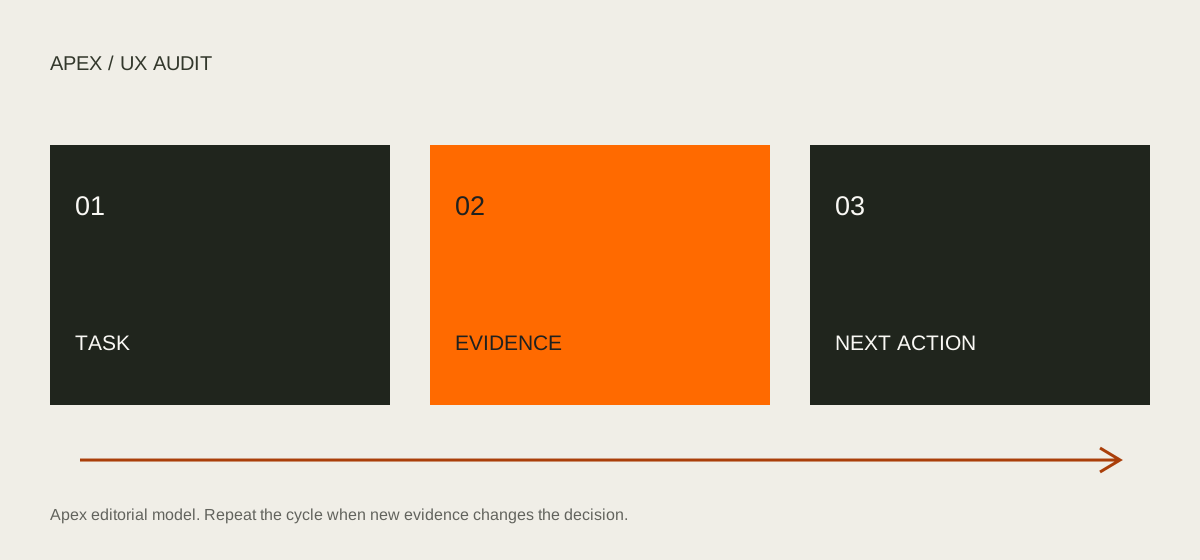
A useful UX audit examines a defined user journey, records observable friction and turns that evidence into a prioritized improvement plan. Start with one important task, document what happens, assess the consequence and assign a next action. Reviewing every screen at once usually makes the scope harder to manage.
An expert review can identify likely usability problems. It does not establish how often real users encounter them or prove that a proposed change will improve conversion. Use the audit to decide what to fix directly, what to investigate and what to test.
Where expert review fits in the history of usability
Nielsen Norman Group dates its ten usability heuristics article to 1994, with later updates. The heuristics provide broad lenses for examining an interface. They do not turn an evaluator’s judgment into measured user behavior. That distinction matters when an audit is used to support a business decision.
Our interpretation is that expert review earns its place by making problems inspectable: another person can reproduce the state, understand the reasoning and challenge the recommendation. A report that relies only on “this feels outdated” offers a weak basis for investment, even if the proposed redesign looks convincing.
An audit is particularly useful when a product already exists and the team needs a clearer view of a defined journey. If the underlying customer problem is unknown, discovery may be more appropriate. If the service itself cannot fulfill its promise, interface corrections alone will have a limited effect.
1. Define the decision the audit must support
Write a one-sentence brief: “We need to understand what could prevent a new account administrator from inviting a teammate.” Name the audience, starting state, intended outcome and platform. Include constraints such as permissions, device, language and authentication.
Choose a small number of critical journeys. For a subscription product, these might be account setup, the first meaningful task and plan management. Agree on what is outside the review. A billing audit does not automatically include every marketing page.
List the available evidence before starting: support tickets, documented user feedback, analytics events and existing research. Record gaps. If the team has no funnel instrumentation, do not invent an abandonment rate to justify the work.
Working output: a scope sheet with the journey, user role, completion criteria, environments, evidence available and the person responsible for the next decision.
2. Walk the task in realistic conditions
Use a test account with appropriate permissions and realistic, non-sensitive data. Complete the journey from its real starting point. Capture each transition, loading state, confirmation and recovery route. Repeat with an empty account and a known error condition when safe.
For an invitation flow, try a valid address, an address already invited and an account without invitation permissions. Review mobile behavior and keyboard navigation. Can someone reach the controls, see focus, understand an error and continue without losing their input?
Nielsen Norman Group’s heuristics provide broad evaluation lenses. For this audit, translate those principles into task-specific questions: does the invitation show a pending state, explain permissions and allow an accidental invitation to be corrected? These questions are our application of the framework, not a reproduction of its full checklist.
Use WCAG as a separate accessibility reference. A keyboard walkthrough is useful evidence, but it is not a full conformance assessment. Record exactly what was checked and arrange specialist testing where needed.
3. Separate observation, consequence and hypothesis
Create one finding for each distinct issue. Avoid merging several unrelated problems into a single “onboarding is confusing” ticket.
Use this record:
- Task and state: where the issue occurs, including account role and viewport.
- Observation: what the interface actually does.
- Evidence: screenshot, steps to reproduce and relevant existing research.
- Potential consequence: what could prevent or slow task completion.
- Confidence: observed interface behavior versus an untested user hypothesis.
- Next action: a direct correction, further investigation or a test.
Hypothetical example: after submitting an invitation, the form remains unchanged and displays no confirmation. The observation is missing visible feedback. “Administrators send duplicate invitations” is a hypothesis until product logs or user research support it. A candidate action is to add a pending state and explicit confirmation, then test whether the recipient and status are understood.
4. Assess severity without pretending to know impact
Use a shared rubric rather than a mysterious numerical score. Here is a proposed team rubric, not a universal standard:
| Level | Task consequence | Suggested response |
|---|---|---|
| Blocking | The intended task cannot be completed in the reviewed state | Investigate urgently and establish a recovery path |
| Major | Completion requires substantial avoidable work or unclear recovery | Prioritize with the product owner |
| Moderate | The task is possible but introduces hesitation or repeated effort | Schedule an improvement or test |
| Minor | A local inconsistency with limited task disruption | Address alongside related work |
Keep frequency and business exposure in separate columns. A blocking issue affecting one permission state may have different reach from a frequent minor issue. Unknown reach should remain unknown until you collect evidence.
Estimate implementation effort with engineering. Do not divide severity by an invented effort number and call the result return on investment.
5. Turn the findings into a small action plan
Group issues by root cause and journey. Several unclear labels may indicate a shared content pattern; inconsistent focus styling may need a component fix. Link those findings, but keep reproduction steps accessible.
Choose the first batch using consequence, evidence confidence, known reach and delivery constraints. For each selected item, assign an owner, an acceptance criterion and a validation method.
For the invitation example, an acceptance criterion could be: “After submission, the administrator sees the recipient, pending status and next available action.” A validation session can ask participants what happened and what they would do next. Event instrumentation can separately check invitation attempts and completion. Avoid treating those measures as interchangeable.
6. Close the loop after implementation
Retest the original state and its adjacent cases. Confirm the change works with keyboard input and at a narrow viewport. Where outcome data exists, compare equivalent cohorts or use a controlled experiment; account for changes in traffic, product behavior and tracking.
Keep a decision log: fixed, accepted, needs research or deferred, with a reason. This prevents the audit from becoming a slide deck detached from delivery.
Before sharing the audit, check that every finding has reproducible evidence, every claim has an appropriate confidence level and every priority has a next step. Your audit is ready when the team can make a decision from it.
Read the business impact as a chain of assumptions
Suppose a team suspects that unclear invitation feedback creates support work. The interface issue, the user response and the operational cost are three different parts of a causal chain. Observing the first does not establish the other two.
Write the proposed chain explicitly: missing confirmation might lead to repeated attempts; repeated attempts might create uncertainty; uncertainty might produce support contacts. Then identify evidence for each link. Product logs can help examine repeated attempts. Support records can reveal the questions people ask. A task session can explore interpretation.
This approach gives the business a more useful conversation than an unsupported conversion promise. It can justify a small correction while acknowledging that the downstream effect still needs evaluation. It can also show that a seemingly local issue has a wider operational dependency.
When the organization cannot collect outcome data immediately, use a narrower acceptance criterion. Confirm that the interface communicates what happened and that the intended audience can explain the next step in a test. Describe that as improved clarity in the tested context, not as proven revenue growth.
Review the whole service boundary
Interface friction sometimes begins outside the screen. A user may arrive from an email with a different project name, follow an expired link or receive conflicting instructions from support. Include the entry and exit points of the scoped journey so the audit does not optimize one page in isolation.
For the invitation example, examine the administrator’s confirmation and the recipient’s message together. Do they describe the same organization, permission and next step? If the link expires, is there a recovery path? If the invited person already has an account, can they understand which account to use?
Include content as behavior. A button labeled “Continue” without context can hide whether an action saves a draft, sends a message or commits a change. Review the consequence communicated by the label, the surrounding explanation and the confirmation. A visual redesign that preserves that ambiguity may leave the main problem untouched.
Localization creates another boundary. Check that errors, confirmation messages and help content exist in the selected language, not only the main navigation. Record untranslated states as specific findings with their effect on the task. Do not assume that a translated headline means the journey is fully localized.
Make the audit useful to engineering
For every proposed correction, distinguish intent from implementation. The intent might be to prevent accidental repeat submission. Engineering may choose an idempotent operation, a disabled control during a request and an explicit retry path. A button color alone cannot guarantee that outcome.
Write acceptance criteria around observable behavior. “The user sees confirmation after a successful invitation” is more testable than “make the flow intuitive.” Include the condition that success feedback must follow a real successful response. Specify what happens when the response is delayed or fails.
Link a finding to the component or content pattern when relevant. A repeated error-message issue may be solved centrally, while a permission problem may require product-specific logic. This distinction helps estimate effort without assuming that every inconsistency belongs in a design system.
Retain the original evidence after the fix. A before-and-after record makes regression review easier and explains why a particular state exists. It also helps future contributors avoid removing a useful recovery path in the name of visual simplicity.
A final review exercise for your team
Select one finding and ask a colleague who did not conduct the audit to reproduce it. Can they reach the same state from the written steps? Can they distinguish the observed behavior from the predicted consequence? Can they explain what would count as an acceptable correction?
Next, ask the product owner what decision the finding changes. It might justify a direct fix, a targeted research session or a consciously accepted limitation. A finding can be valid without becoming an immediate priority; the reason for that choice should remain visible.
Finally, ask who will verify the implementation and when. Without that ownership, even a careful report can remain disconnected from delivery. The strongest audit output is a traceable path from a real interface state to a considered decision and a checked change.
Need an independent view of a critical product journey? Explore Apex Design Studio’s UX Audit service. If recurring interface inconsistencies dominate the findings, explore our Design Systems service as a next step.